
Allplan Campus Crashkurs EN
Allplan Campus Crashkurs EN
Course description
This Allplan crash course for beginners offers a comprehensive introduction to the basics of the CAD and BIM software Allplan. In five structured video tutorials, you will learn how to create 2D and 3D designs, efficiently manage building structures, and design and export professional plan layouts for your architectural projects. Perfect for beginners who want to quickly and practically expand their skills in architecture and construction planning.
Learning outcomes
- Basic 2D design and project management in Allplan
- Expertise in free 3D modeling and the application of Boolean operations
- Effective usage for level models and materials for structured building designs
- Construction of walls, ceilings, and columns without collisions
- Accurate presentation and export of sections and plan layouts
Reinforcement for Beginners
Reinforcement for Beginners
Course description
This course focuses on basic techniques to modeling, documenting, and managing reinforcement bars in ALLPLAN.
Learning outcomes
- Place reinforcement using advanced placement tools.
SDS2 Detailing Beginner Course
SDS2 Detailing Beginner Course
Course description
Learning outcomes
- SDS2 Fundamentals
- SDS2 Modeling
- SDS2 Drawing Editor
Allplan Bridge Beginner Course
Allplan Bridge Beginner Course
Course description
This course is targeted towards new users of Allplan Bridge and aims to give the learner a basic understanding of the capabilities of Allplan Bridge.
Learning outcomes
- Allplan Bridge Fundamentals
- Axes
- Cross Sections
- Structural Members

Allplan start now - BIMPLUS
Allplan start now - BIMPLUS
Course description
Each lesson takes you step by step through the functionality of Bimplus.
The content of the course is logically structured and includes many practical examples. The presentations go into great detail on the individual functionalities of the Bimplus modules, with the management of projects, members and data being an essential part of this course.
The course is designed for both beginners and advanced users.
Learning outcomes
- Create teams
- Manage projects
- Members and data
- View and analyse models
- Create
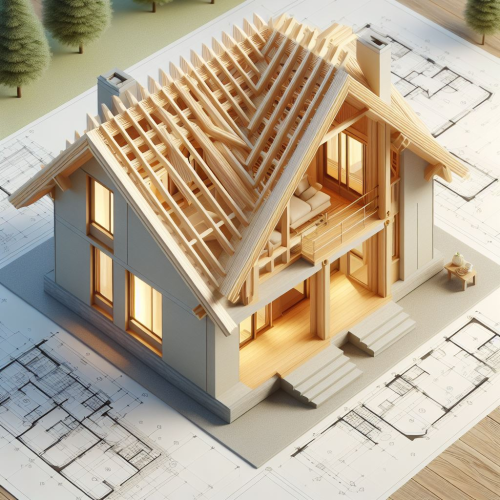
Allplan Booster | Roof
Allplan Booster | Roof
Course description
In diesem Kurs lernen Sie wie Sie mit Allplan ein Satteldach modellieren. Beginnend bei den Dachebenen wird erläutert wie man Trauf- und Giebelwände, Gauben und Teile des Dachstuhls modelliert. Zum Ausprobieren der gezeigten Videoinhalte steht eine Allplan Projektsicherung in der Version 2024 zur Verfügung.
Learning outcomes
- Einleitung
- Dachebenen
- Trauf- und Giebelwände
- Gaube
- Dachlandschaft
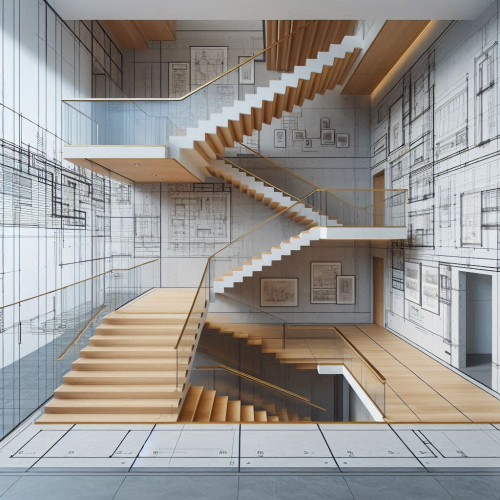
Allplan Booster | Stairs
Allplan Booster | Stairs
Course description
Dieser Kurs erklärt die Funktion „Treppenmodellierer“. Beginnend bei der Treppeneingabe erlernen Sie die Verwendung der Bauteile sowie die Einstellungen der Anschlüsse. Wir zeigen Modifikations-Möglichkeiten und die Anpassung der Grundrissdarstellung an individuelle Situationen.
Learning outcomes
- Eingabe verschiedener Treppentypen
- Nachträgliche Bearbeitung – z.B. Podeste einfügen
- Parameter der Bauteile und Einstellungen der Anschlüsse am Fußpunkt, Austritt und Podest
- Bearbeitungsmöglichkeiten der Grundrissdarstellung
- Räume unter Treppen für eine korrekte Wohnflächenberechnung

Allplan Booster | Road
Allplan Booster | Road
Course description
In diesem Kurs lernen Sie, wie Sie mit Allplan eine Straße modellieren. Beginnend beim Import von Geländedaten über die Definition der vertikalen und horizontalen Achsgeometrie bis zur Darstellung des fertigen Straßenmodells im Gelände. Zum Ausprobieren der gezeigten Videoinhalte steht eine Allplan Projektsicherung in der Version 2024 und eine REB-Datei zur Verfügung.
Learning outcomes
- REB Geländeimport
- Geländeauswertung
- Weitere Export- und Importmöglichkeiten
- Horizontale Achsgeometrie
- Vertikale Achsgeometrie
For testing
For testing
Course description
Each lesson takes you step by step through the functionality of Bimplus.
The content of the course is logically structured and includes many practical examples. The presentations go into great detail on the individual functionalities of the Bimplus modules, with the management of projects, members and data being an essential part of this course.
The course is designed for both beginners and advanced users.
Learning outcomes
- Create teams - 123456789 123456789 123456789 123456789 123456789 123456789 123456789 12345
- Manage projects - 123456789 123456789 123456789 123456789 123456789 123456789 123456789 12
- Members and data - 123456789 123456789 123456789 123456789 123456789 123456789 123456789 1
- View and analyse models - 123456789 123456789 123456789 123456789 123456789 123456789 1234
- Create - 123456789 123456789 123456789 123456789 123456789 123456789 123456789 123456789 1